Ace Your MEO Oral Exams
with AI-Powered Simulation
Train with Realistic DG Shipping Exam Scenarios & Get Ready to Pass.
Experience the Power of AI Voice Interviews
Watch how our AI examiner conducts realistic oral examinations, just like the real MEO Class 4 orals
No credit card required 1 free demo interview included
Why Choose MeoMock?
Everything you need to ace your MEO Class 4 Orals examination
Authentic AI Examiners
Practice with AI-powered examiners modeled after real DG Shipping surveyors from MMD Mumbai, Kolkata, Chennai, and more. Choose specific surveyors or practice with any examiner. Each has unique questioning styles and focuses.
Real-Time Feedback
Get instant evaluation on technical accuracy, regulatory knowledge, practical understanding, and safety awareness. Receive detailed scores and feedback immediately after each exam session.
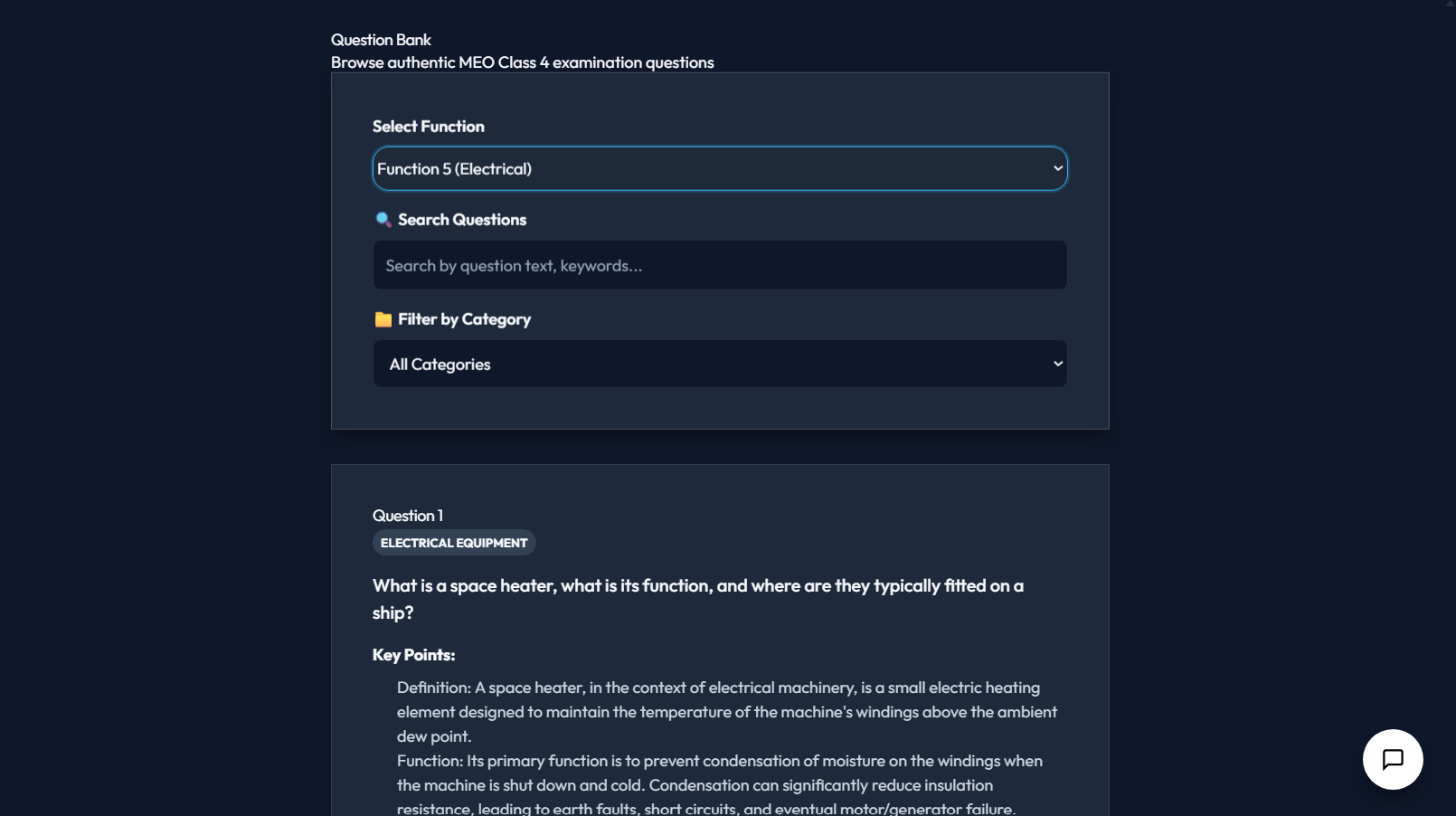
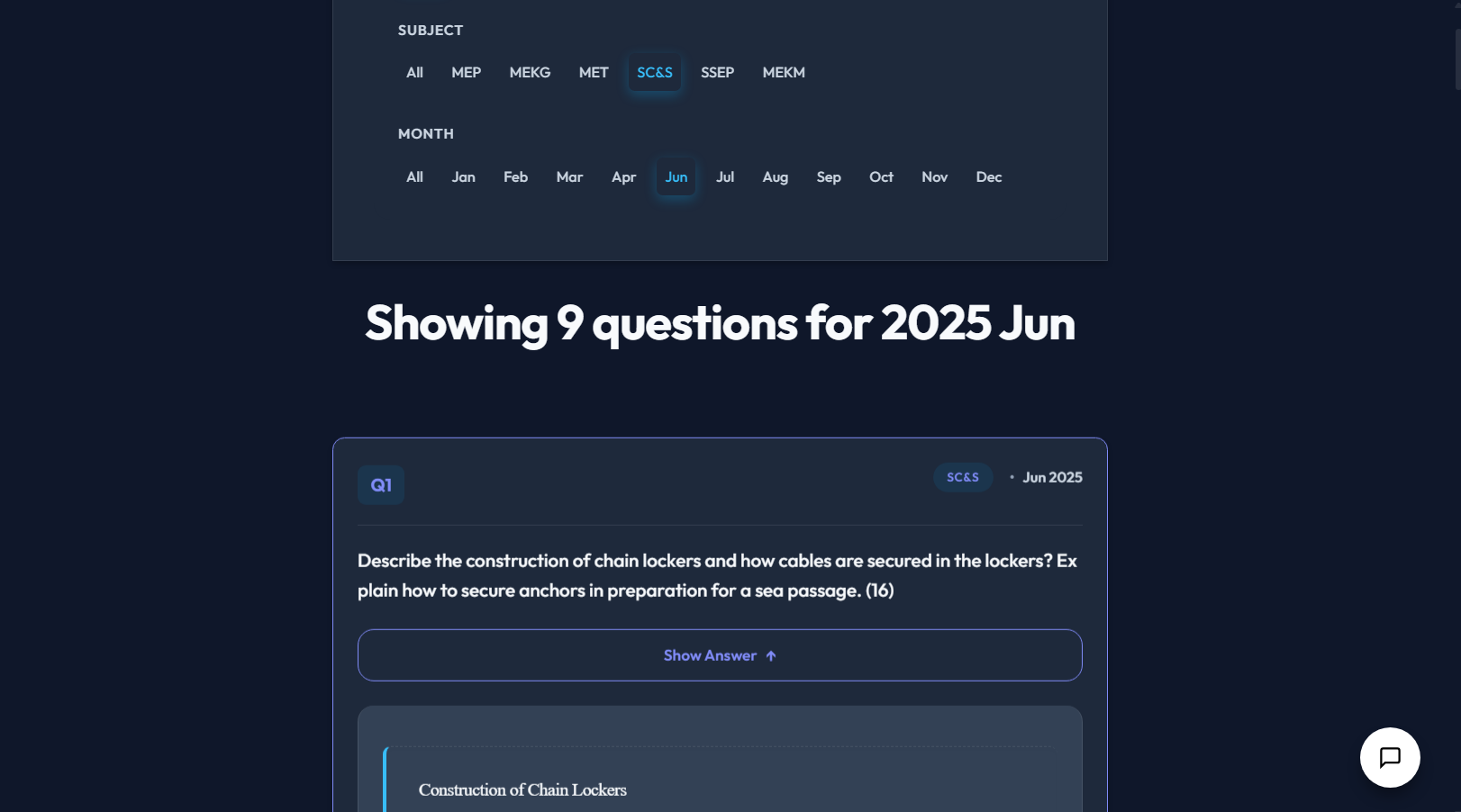
Comprehensive Question Bank
Access 1000+ authentic MEO questions with search and category filters. Free users get questions with sample answers; paid members unlock full answers, key points, regulations, common mistakes, and follow-ups for all questions.
Unlimited Text Chat
Get instant answers to your questions with our AI-powered text chat. Available for all paid plans - ask anything about marine engineering, regulations, or exam preparation anytime.
⚡ Stress Test Mode
Prepare for the pressure of real exams with our aggressive questioning mode. Available for 4th Engineer plans and above. Experience intense, rapid-fire questioning just like challenging examiners.
Exam & Practice Modes
Choose between Exam Mode (timed, strict evaluation) or Practice Mode (unlimited attempts with hints and corrections). Perfect for both serious practice and relaxed learning.
PDF Reports & Analytics
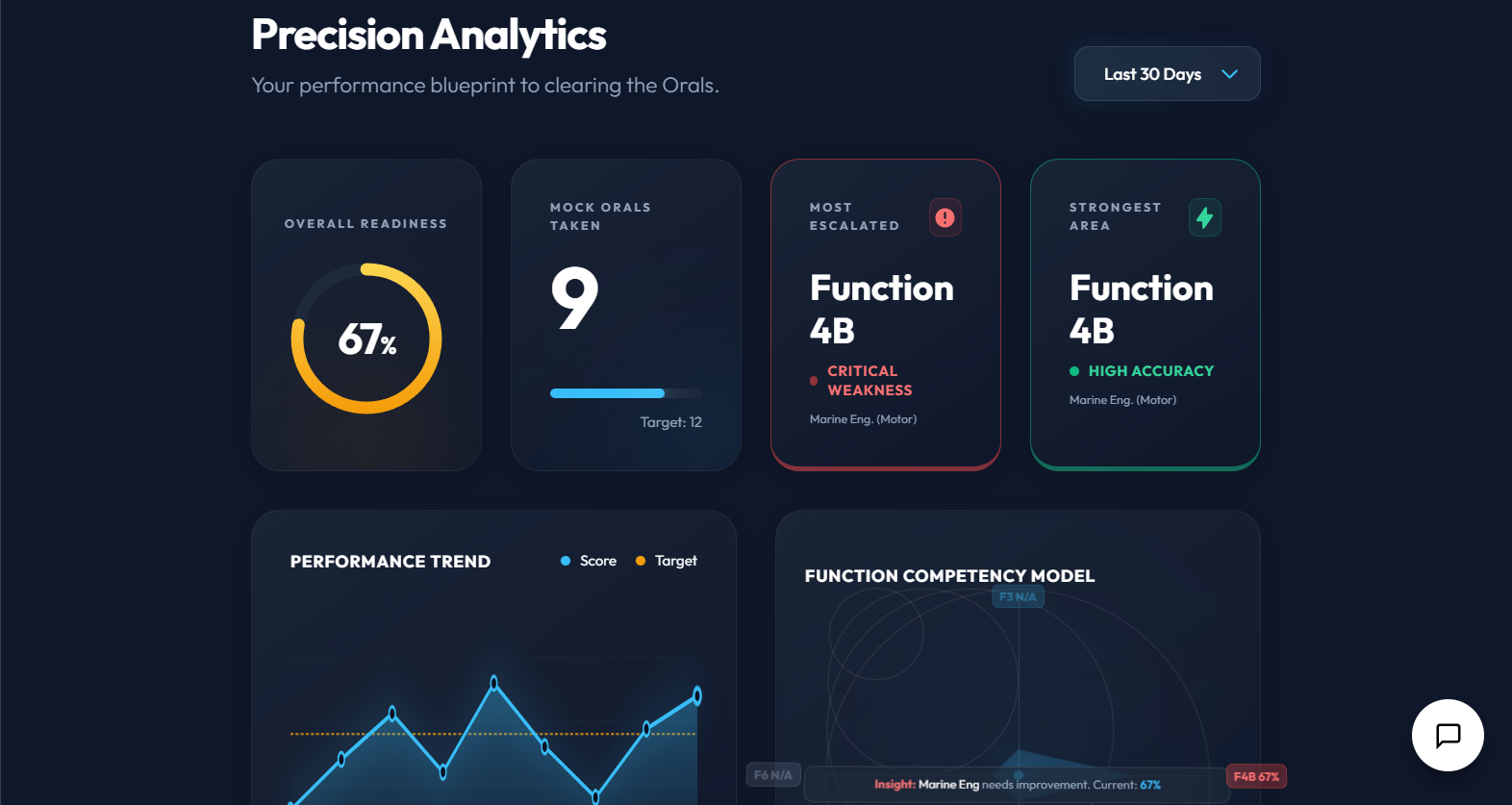
Export detailed PDF reports of your performance. Track progress with comprehensive analytics, identify weak areas, monitor improvement trends, and review your exam history anytime.
Community Insights
Learn from fellow candidates. Access real questions shared by others, track which surveyors are most active, and get community-driven tips and strategies. Share your own exam experiences.
Safety-First Evaluation
Our AI strictly enforces safety standards. Any unsafe suggestion results in immediate failure, just like in real exams. Learn proper safety procedures the right way from day one.
Credit-Based System
Flexible credit system for voice interviews. Purchase credits with any plan and use them as needed. Credits never expire and can be used across all exam types and functions.
Multiple Exam Levels
Practice for MEO Class 4, Class 2, or Chief Engineer levels. Each level has tailored questions and evaluation criteria matching real DG Shipping examination standards.
Cloud Sync & Backup
All your exam sessions, transcripts, and progress are automatically synced to the cloud. Access your data from any device and never lose your preparation history.
How It Works
Get started in minutes, master your orals in weeks
Select Your Function
Choose Function 3 (Safety), Function 4B (Engineering), Function 5 (Electrical), Function 6 (Maintenance), or Combined. Select your exam level (Class 4, Class 2, or Chief Engineer).
Start Voice Interview
Click the microphone button and begin your oral examination. The AI examiner will ask authentic questions based on real DG Shipping patterns. Answer naturally, just like in a real exam.
Get Real-Time Feedback
Receive instant evaluation on your answers. The AI checks for correct terminology, regulatory citations, practical understanding, and safety awareness. Know your score immediately.
Review & Improve
Access detailed transcripts, analytics, and PDF reports. Identify weak areas, review your performance, and practice again until you're confident.
Trusted by Marine Engineers
Join hundreds of candidates preparing for their MEO orals
"The AI examiner felt incredibly realistic. The questions were exactly like what I faced in my actual MEO Class 4 orals. The feedback helped me identify my weak areas in regulatory knowledge."

"The stress test mode is brilliant! It prepared me for the pressure of the real exam. I passed on my first attempt. The question bank is comprehensive and covers everything."

"Best investment for MEO preparation. The PDF reports are detailed and professional. The community feature helped me understand what different surveyors focus on. Highly recommended!"

Ready to Ace Your MEO Orals?
Start practicing today with our free demo. No credit card required.
Dashboard
Review your post-examination status.
Current Focus
Recent Exams
MEO Orals Examination
AI-Powered Mock Oral with Smart Question Selection
⚙ Select Function
⚙ Quick Settings
Affects examiner behavior
Click microphone to start interview
Exam History
Review your past examination sessions
Analytics & Performance
Track your progress and identify areas for improvement
Performance Trends
Loading chart data...
Function Performance
Weak Areas
Exam Intel
Got your exam date? Look up your surveyor here and see what they usually ask.
Posts are user-generated and unverified. By sharing, you agree to our Community Guidelines (no leaked papers, confidential docs, or copyrighted manuals).
Know your examiner? Search by name and see what they usually ask.
Settings
Customize your examination experience
Profile
Fill your details to get job recommendations matching your profile
This name will be shown when you post experiences in Exam Intel. If left empty, your email username will be used.
Optional. Useful for better service and may be shared with recruiting companies.
Optional.
Optional.
Optional.
Subscription
Preferences
The function that will be pre-selected when starting a new exam
Choose your preferred examination mode
Show countdown timer during examinations
Developer Settings
Data Migration
Migrate your local data to cloud storage
Migrate your existing exam sessions from local storage to cloud storage for backup and cross-device access.
Data Management
Manage your examination data and backups
Export creates a backup file. Clear permanently deletes all data.
Choose Your Preparation Plan
One failed oral exam can delay your career by 3–6 months. Pick the plan that helps you pass the first time.
₹1,499/month is less than one day of sailing pay. Invest in passing your oral exam.
Study on your phone
Install the MeoMock app for mock orals, written exams, and exam intel — syncs with your web account.
Showing plans for 4th Engineer (MEO Class 4)
Cadet
- ✓ 1 Free Mock Oral — Practice with AI Surveyor (voice)
- ✓ Community Forum
- ✓ Browse Question Bank (read-only)
- ✓ Unlimited Text Practice — Type your oral answers anytime
- ✓ OEM Intel — Ask technical questions, get AI answers from official manuals (3/day)
- ✓ Written Exam Papers — 3 full AI answers, then preview only
- ✗ No voice minutes included
- ✗ No recent exam questions (last 30 days)
- ✗ No Performance Dashboard
- ✗ No Difficulty Adjustment
- ✗ No Personalized Study Plan
Core
- ✓ Recent Exam Questions — See what surveyors asked in the last 30 days
- ✓ Full Question Bank — Search, filter & bookmark all questions
- ✓ Written Exam Papers — Full past papers with AI answers (Class 4)
- ✓ Community Forum
- ✗ No AI Mock Oral Practice (voice)
- ✗ No AI Text Practice
- ✗ No OEM Intel AI
- ✗ No Performance Dashboard
- ✗ No Difficulty Adjustment
- ✗ No Personalized Study Plan
Pro
Select Payment Method:
- ✓ 60 min of Mock Oral Practice with AI Surveyor (voice) per month
- ✓ Difficulty Adjustment — Questions get tougher as you improve ⚡
- ✓ Full Question Bank — Search, filter & bookmark all questions
- ✓ Unlimited Text Practice — Type your oral answers anytime
- ✓ OEM Intel — Ask technical questions, get AI answers from official manuals (50/day)
- ✓ Written Exam Papers — Full past papers with AI answers (Class 4)
- ✓ Recent Exam Questions — See what surveyors asked in the last 30 days
- ✓ Performance Dashboard — Track your weak areas
- ✓ Personalized Study Plan — Focused bootcamp on your weak topics
- ✓ Community Forum
Self Starter Plan
6 months access - Use your own Vapi API key for unlimited practice
What is this? Get unlimited practice sessions by using your own Vapi.ai API key. You pay Vapi directly for usage, while we provide the platform. View detailed setup guide →
- ✓ Unlimited Mock Oral Practice (voice, using your own Vapi key)
- ✓ Use Your Own Vapi API Key — You pay Vapi directly
- ✓ Browse Question Bank (read-only)
- ✓ Unlimited Text Practice — Type your oral answers anytime
- ✓ OEM Intel — Ask technical questions, get AI answers from official manuals (3/day)
- ✓ Community Forum
- ✓ Written Exam Papers — 3 full AI answers, then preview only
- ✗ No recent exam questions (last 30 days)
- ✗ No Performance Dashboard
- ✗ No AI Feedback on Answers
- ✗ No Difficulty Adjustment
- ✗ No Personalized Study Plan
Partner Dashboard
Track your referrals and earnings
Loading partner dashboard...
Help & Documentation
Everything you need to know about using the platform
MeoMock Android app
Prefer mobile? Download from Google Play for the same prep tools at sea or ashore.
Getting Started
Select Your Function
Choose Function 3 (Safety), Function 5 (Electrical), Function 6 (Machinery), Navigation, Engine Room, or Combined
Choose Your Mode
Select Exam Mode (timed, formal assessment) or Practice Mode (unlimited attempts, with hints)
Start the Examination
Click the microphone button and allow microphone access when prompted
Answer Questions
Speak clearly and answer the examiner's questions. Your responses are recorded in real-time
Review Results
View your score, pass/fail status, and detailed feedback after completion
Frequently Asked Questions
What is the passing score?
You need 10 or more points to pass (60% competency as per MEO guidelines). Scores below 10 result in failure.
Can I pause the exam?
In Practice Mode, you can pause and resume. In Exam Mode, the timer continues running to simulate real exam conditions.
How long is the exam?
Standard exam duration is 20 minutes, but you can end the session early if you finish before time runs out.
Are my results saved?
Yes, all exam sessions are automatically saved locally in your browser. You can view them anytime in the History section.
Self Starter Setup Guide
Use your own Vapi.ai API key for unlimited MEO orals practice
The Self Starter plan lets you get unlimited practice sessions by using your own Vapi.ai API key. You pay Vapi directly for usage while we provide the platform. Follow these steps to get started.
Step 1: Create a Vapi account
Go to vapi.ai and sign up for a free account. Vapi provides the voice AI that powers the oral exam simulation.
Step 2: Get your API key
In the Vapi dashboard, find your Public Key (it starts with pk_). You may
also create or copy an Assistant ID if you want to use a pre-configured assistant;
otherwise you can leave it blank and use MeoMock’s default.
Step 3: Purchase the Self Starter plan on MeoMock
On MeoMock, go to Pricing and purchase the Self Starter Plan (one-time payment for 6 months access). This unlocks the Developer Settings where you can add your key.
Step 4: Enter your credentials in MeoMock
Go to Settings → scroll to Developer Settings → click Show. Paste your Vapi Public Key (and optionally your Assistant ID). Click Save Credentials.
Step 5: Start practicing
Go to Practice → Start Exam, select your function and level, and start the voice interview. Your session will use your Vapi key and you’ll be charged by Vapi according to their usage.
What you get with Self Starter
- ✓ Unlimited practice sessions (you pay Vapi directly)
- ✓ Use your own Vapi key
- ✓ Read-only Question Bank
- ✓ Unlimited text practice
- ✓ Community access
Need help? Contact support@meomock.com or visit the Help & FAQ page.
Contact Us
Get in touch with the MeoMock team
We're Here to Help
Whether you have a question about our platform, need technical support, or want to provide feedback, we're ready to assist you.
Response Time
We aim to respond to all inquiries within 24-48 hours during business days.
Delivery Policy
Information about product delivery and access
Digital Product Delivery
At MeoMock, all our products are digital services and content. We do not sell or ship physical goods.
Instant Access
Upon successful payment for any subscription plan (Cadet, 4th Engineer, Chief Engineer, or Pass Guarantee), your account will be automatically upgraded, and you will receive immediate access to the premium features associated with your purchased plan.
Confirmation
You will receive a confirmation email with your order details shortly after purchase. If you do not receive this email or if your account is not upgraded immediately, please contact our support team.
No Shipping Fees
As all our services are digital, there are no shipping or handling fees associated with any purchase on our platform.
For any issues with accessing your purchased content, please contact us at support@meomock.com.
Support Center
Get help with MeoMock - we're here for you
WhatsApp support: +91 94962 29611
Using the Android app?
Install or update MeoMock from Google Play — same login as this website.
Frequently Asked Questions
Contact Support
Select your issue type and describe your problem. We'll respond via WhatsApp within 24 hours.
What type of issue are you facing?